

Domain ID protection

When a domain is registered, its owner's details (name, email, phone and address) appear in the public WHOIS record for anyone to see. ID protection replaces your details with substitute ones, protecting you from spam, fraud and data harvesting, while the domain stays fully yours.

Turn on protection

  1. In Domains → My Domains, click the domain.
  2. Open the Addons tab.
  3. Next to ID Protection, click Buy Now / Enable and complete payment if the service is paid.
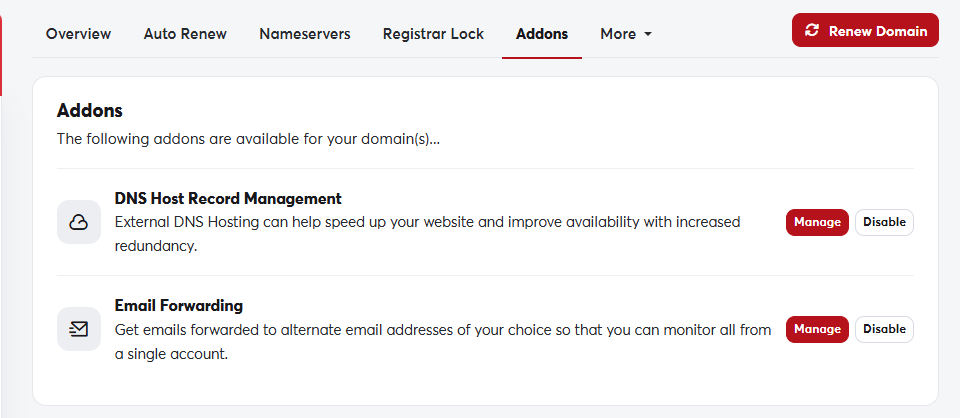
The domain's Addons tabThe domain's Addons tab

You can also add protection when registering a new domain, on the order configuration page.

Some extensions don't allow details to be hidden under their registry's rules, so the service doesn't appear for them. You can check the result with a WHOIS lookup.

Was this answer helpful?

Related Articles

Registering a new domain A domain name is your website's address on the internet, such as my-store.com. You can search for the name you want and register it... Looking up domain information (WHOIS) WHOIS shows the public record for any domain name: the registrar, registration and expiry dates, nameservers and status. Use it to check... Transferring a domain to SAJJEL.NET If your domain is registered with another company, you can transfer it to SAJJEL.NET and manage your domains, hosting and invoices in one... Managing your domains All your domains are in one place in your client area. From there you control renewals, nameservers, the registrar lock, contact details... Renewing a domain A domain is registered for a set period (one year or more) and must be renewed before it ends to keep your website and email working. We...