Opening a support ticket

A support ticket is the fastest and best way to reach our team: all your messages and our replies are kept in one place, replies arrive in your email, and you can attach screenshots and files.

Open a new ticket

  1. Log in to your account, then click Open Ticket in the side menu.
  2. Choose the right department:
    • Technical Support: website, email, cPanel and domain problems.
    • Sales & Billing: prices, orders, invoices and payments.
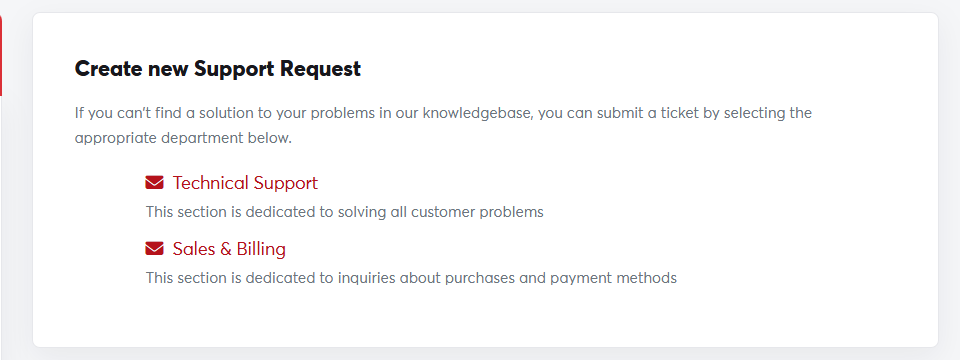
Choosing a departmentChoosing a department
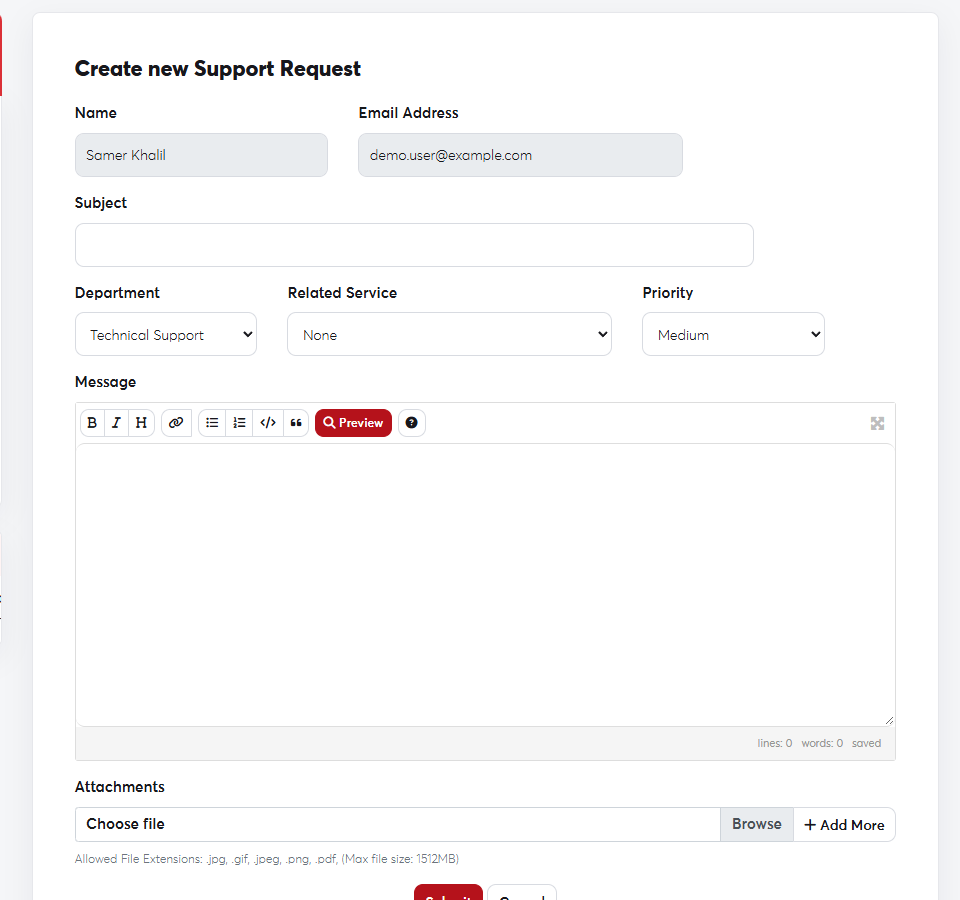
  1. Write a clear Subject, such as "Not receiving email on info@".
  2. Choose the Related Service if there is one, and set the Priority.
  3. Describe the problem in the Message, and attach a screenshot if you can.
  4. Click Submit.
The new ticket formThe new ticket form
The clearer the details, the faster the fix. See What to include in a support request.
You'll receive the ticket number by email, and you can follow and reply to it as described in Following up on your tickets.

Was this answer helpful?

Related Articles

Frequently asked questions Short answers to the questions we're asked most often, with links to the full guides. If your question isn't here, try the... Following up on your tickets All your past and current tickets are in one place, with the status of each. View your tickets In the side menu, choose Support →... Contacting technical support The SAJJEL.NET support team is here to help. Choose the contact method that fits your request: 1. Support tickets (fastest) For any... Network and server status The Network Status page shows scheduled maintenance and current outages on our servers, so you can see straight away whether a problem... What to include in a support request When a ticket contains everything we need from the start, we can usually fix the problem in the first reply instead of trading messages...