

A domain name is your website's address on the internet, such as my-store.com. You can search for the name you want and register it in a few minutes. It becomes active as soon as payment is complete.
Search for a name
- Open Register a New Domain, or choose Domains → Register a New Domain in your client area.
- Type the name you want, with or without an extension, and click Search. You can also describe your business and the page will suggest suitable names.
 Type a name or a short description of your business, then click Search
Choose an extension and add it to the cart
You will see the result for the name you searched, followed by other available extensions and their prices. If a name is already taken it shows as Unavailable; try another extension or a similar name.
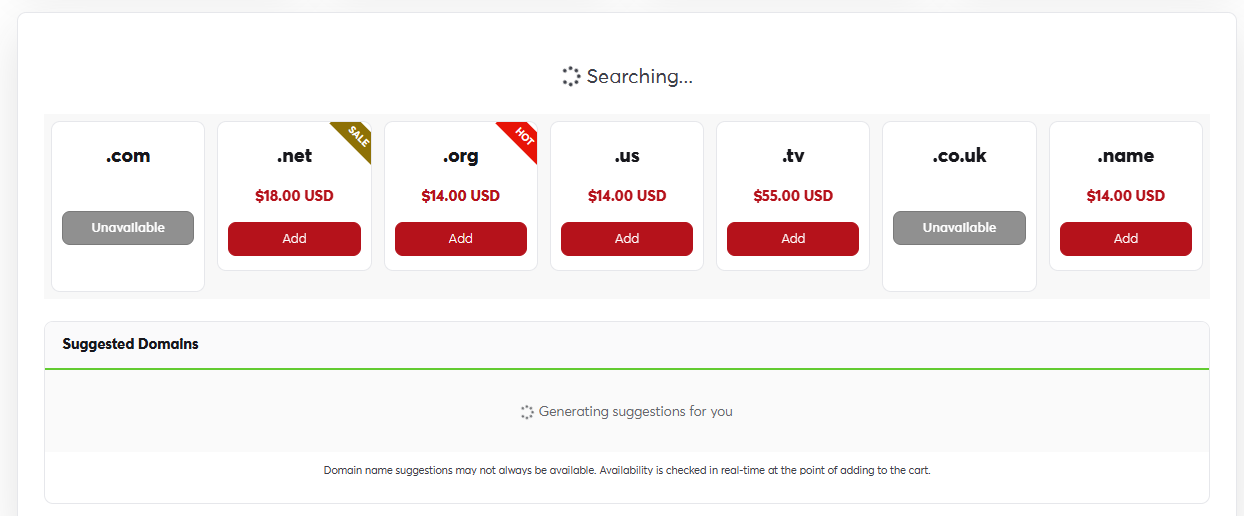 Available extensions and prices. Click Add next to the one you want
- Click Add next to the name you want.
- Choose the registration period (one year or more) and add ID protection if you like.
- Leave the nameservers on their default values if your website will be hosted with us.
- Go to the cart and complete the order as described in Completing your order.
Pick a short name that is easy to spell and say, and avoid hyphens and numbers where you can. If your brand name matters to you, register it under more than one extension (for example .com and .net) to protect it.
Your registrant details (name, address and email) are used in the domain's public record, so make sure they are correct. You can change them later from Domain contact information.
