

DNS records tell the internet where each part of your domain should go. With them you can point the domain to a website hosted elsewhere, set up email, add subdomains, or verify ownership for services such as Google.
The most common record types
- A: points a name to an IP address, such as pointing
@(the domain itself) to your server's address. - CNAME: makes one name point to another, such as making
wwwpoint to the domain. - MX: sets the mail server that receives the domain's email, with a priority.
- TXT: text used for verification and security, such as SPF records and Google verification.
Add or edit a record
- In Domains → My Domains, click the domain.
- Choose More → DNS Management. If it isn't there, enable it first from the Addons tab.
- Enter the host name, choose the record type, then enter the address or value.
- Click Save Changes.
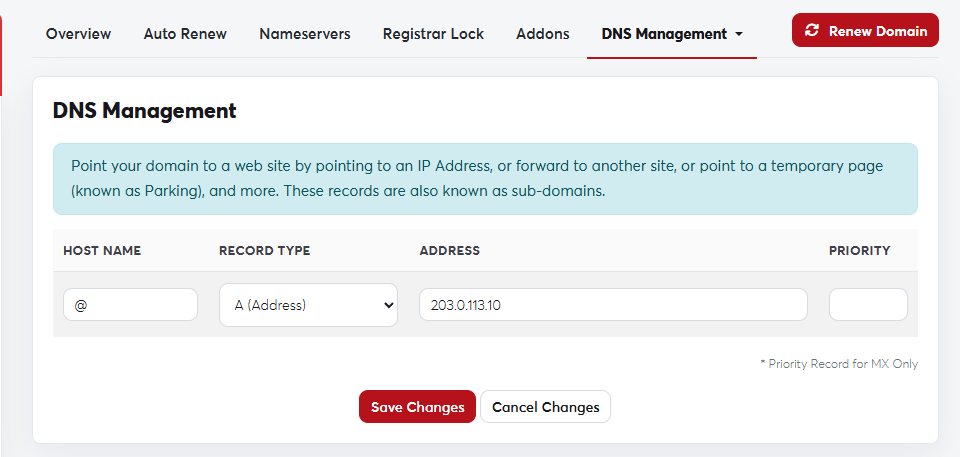 The DNS Management page
This DNS Management page only works when the domain uses the registrar's nameservers. If the domain uses
ns1.sajjel.net and ns2.sajjel.net with hosting from us, edit the records in cPanel's Zone Editor instead.Wrong A or MX records can take your website or email offline. If you're not sure, open a support ticket and we'll help.
