

All your past and current tickets are in one place, with the status of each.
View your tickets
- In the side menu, choose Support → Tickets.
- You'll see your tickets with their department, subject, status and last update.
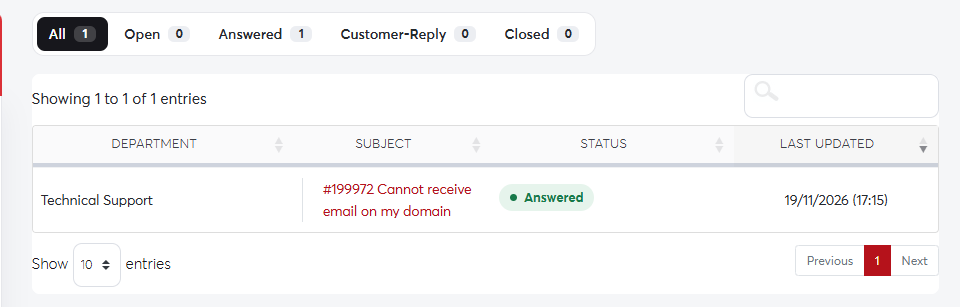 The tickets list
What the statuses mean
- Open: waiting for our support team to reply.
- Answered: our team has replied and is waiting for you.
- Customer-Reply: you've added a reply and it's waiting to be reviewed.
- In Progress or On Hold: our team is working on it, or we are waiting on a third party.
- Closed: the request is finished. Reply to it to reopen it.
Reply to a ticket
- Click a ticket to open it and read the whole conversation.
- Write your reply at the bottom, attach files if needed, and click Submit.
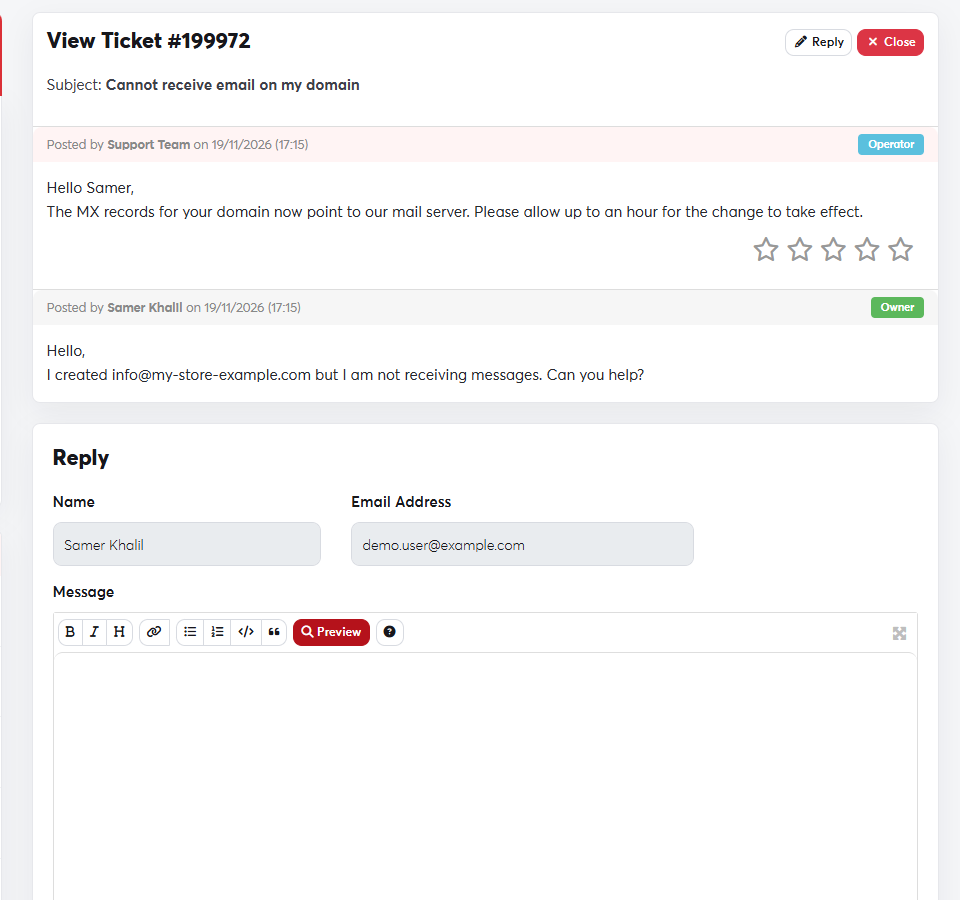 A ticket conversation
You can also reply directly to the email you receive from the ticket system, and your reply is added to the same ticket. Please don't open a new ticket for the same problem, as it slows down the follow-up.
