

Verifying your email address

After you create your account, we send you an email with a verification link. Verifying your email makes sure invoices and important notices reach you, and helps protect your account.

Steps

  1. Open the email you receive from SAJJEL.NET after registering.
  2. Click the verification link.
  3. You'll see a notice that your email has been verified.

Didn't get the email?

  • Check your Spam, Junk or Promotions folder.
  • Log in to your account: a notice at the top of the dashboard asks you to verify your email, with a button to resend it.
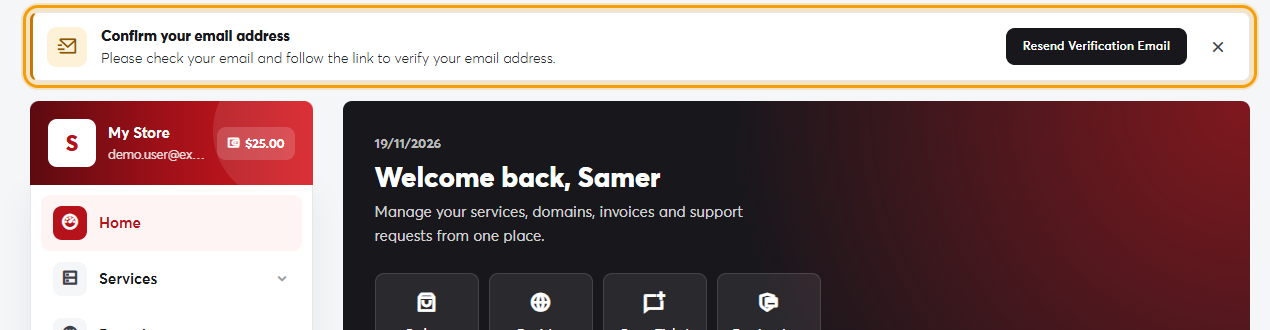
The email verification notice in the client areaThe email verification notice in the client area
  • Make sure the address on your account is correct. If it's wrong, open a ticket to change it.
Add [email protected] to your email contacts so our messages don't end up in spam.

Was this answer helpful?

Related Articles

Creating a new account Your SAJJEL.NET account is where you manage all your services, domains and invoices. It's free and takes a minute to create. Steps... How to log in Log in with your email and password Click Login at the top of any page on the site.Enter the Email Address you registered with and your... Resetting a forgotten password If you've forgotten your password, you can set a new one by email in about a minute. Steps On the login page, click Forgot... Changing the site language The SAJJEL.NET website and client area are available in Arabic and English, and you can switch between them at any time. Quick switch...