

Pay each invoice before its due date to keep your services running without interruption. We email you every new invoice, along with reminders before it's due.
Steps
- Open the invoice from the link in the email, or from Billing → My Invoices.
- Choose a payment method from the list: Credit Card or PayPal.
- Click Pay Now and complete the payment on the secure gateway page.
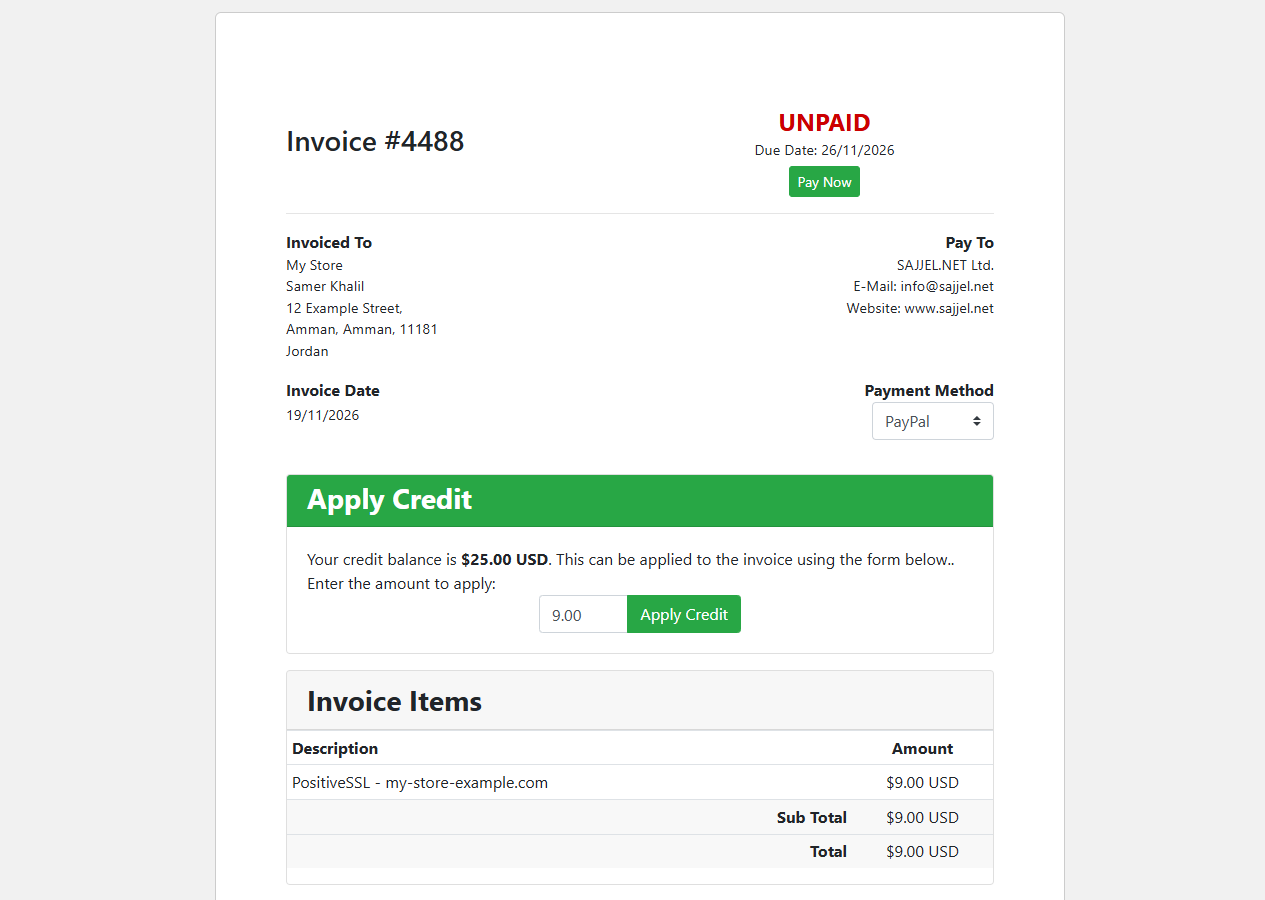 An invoice with payment options and Apply Credit
Once payment is complete, the invoice status changes to Paid within moments and you get a confirmation email.
Pay from your account credit
If you have credit in your account, an Apply Credit section appears on the invoice. Enter the amount to use and click Apply Credit. If your credit is less than the invoice total, pay the rest the usual way.
Pay several invoices at once
On the My Invoices page you can select several unpaid invoices and pay them together.
If an invoice goes past its due date, the related service may be suspended. It is restored automatically once you pay; if it isn't back within an hour, open a ticket with Sales & Billing.
