

Your SAJJEL.NET account is where you manage all your services, domains and invoices. It's free and takes a minute to create.
Steps
- Click Login at the top of the site, then Create account, or open the registration page directly.
- Fill in your personal details: name, email address and phone number.
- Fill in your billing address: address, city and country.
- Choose a strong password and confirm it.
- Agree to the terms of service, then click Register.
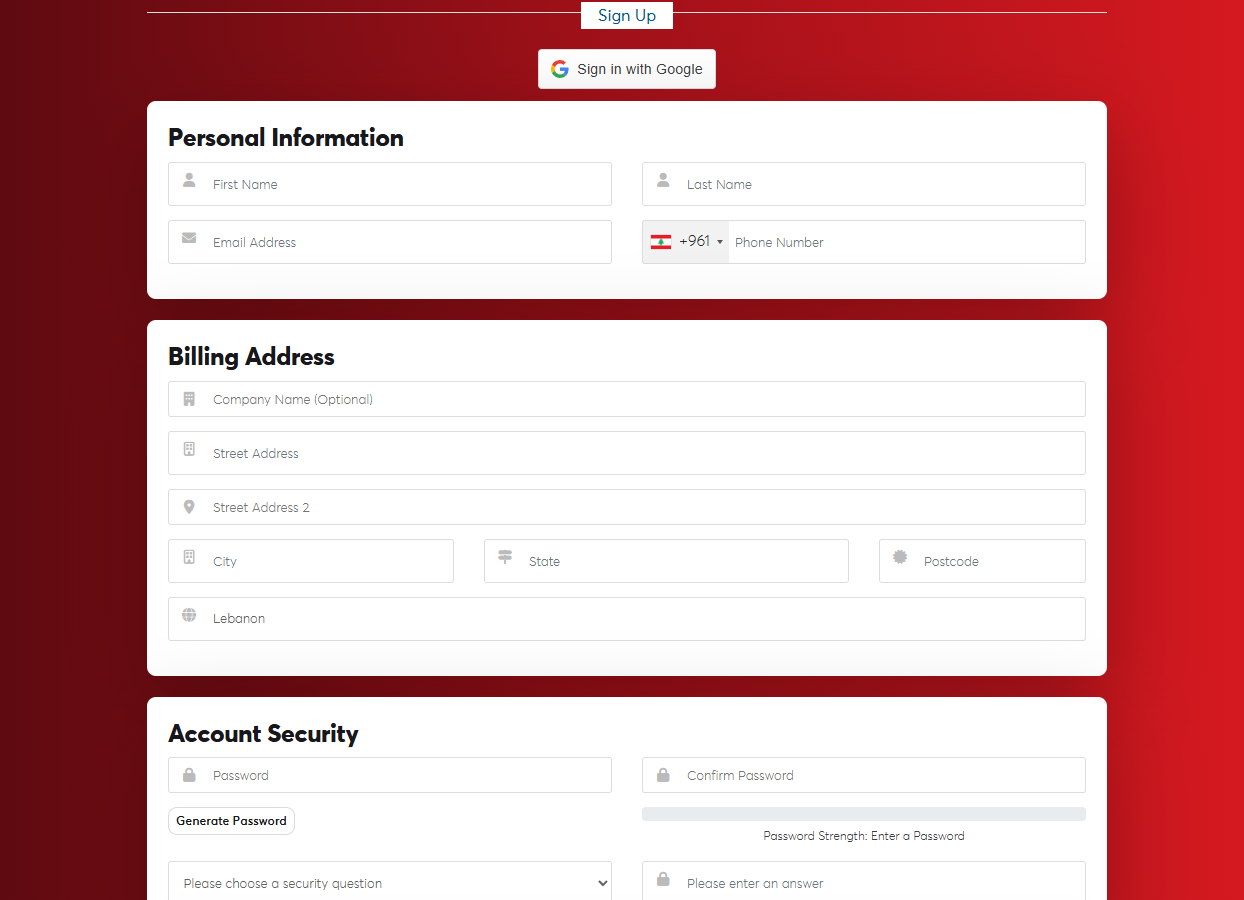 The registration form
After registering you go straight to your client area, and you receive an email to verify your address. See Verifying your email address.
Choose your Email Address and Country carefully. They can't be changed later in the client area, only through a support ticket.
You can also create your account with your first order: fill in your details on the checkout page and the account is created along with the order.
