

If you no longer need one of your services, you can request its cancellation from your client area.
How to request a cancellation
- In Services → My Services, click the service.
- From the actions menu, choose Request Cancellation.
- Briefly describe your reason. It helps us improve our services.
- Choose the Cancellation Type:
- Immediate: the service is cancelled as soon as possible and its data is deleted.
- End of Billing Period: the service keeps working until the paid period ends, then it is cancelled.
- Click Request Cancellation.
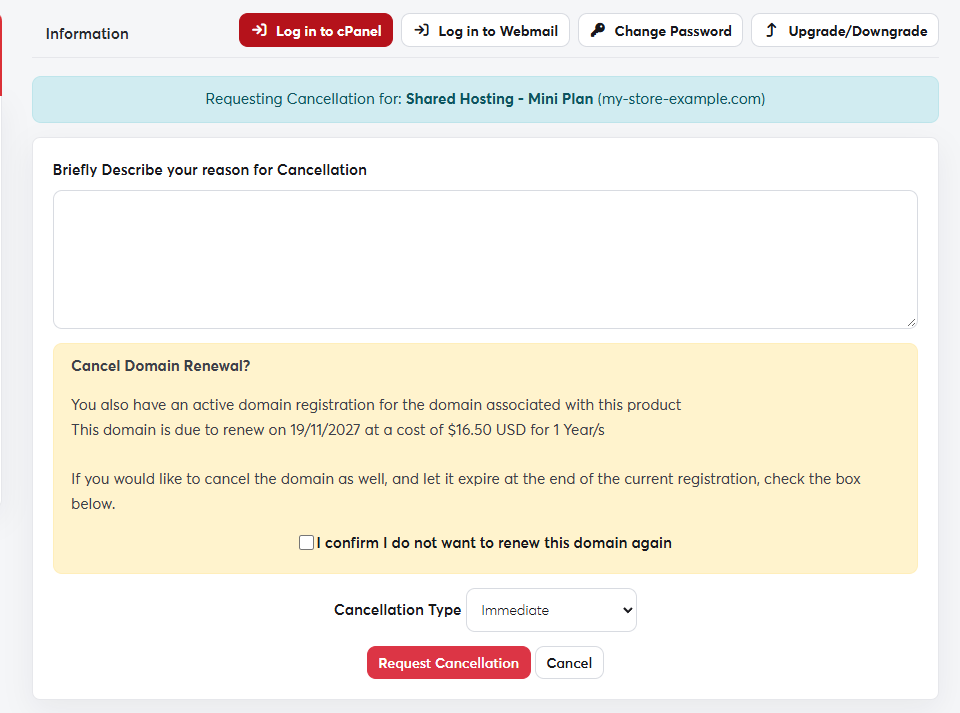 The cancellation request page
Cancellation permanently deletes the website files, databases and email accounts. Take a full backup from Backup in cPanel before you request it.
Cancelling hosting doesn't cancel the domain linked to it. To stop the domain renewing, turn off auto-renew or tick the domain option on the cancellation page.
