

Once you've added what you want to the cart, there's one step left to place the order.
Checkout steps
- On the cart page, click Checkout.
- If you have an account, log in. If you don't, fill in your details and an account is created for you with the order.
- Choose a payment method: Credit Card or PayPal. If you have credit in your account, it is used first.
- Agree to the terms of service, then click Complete Order.
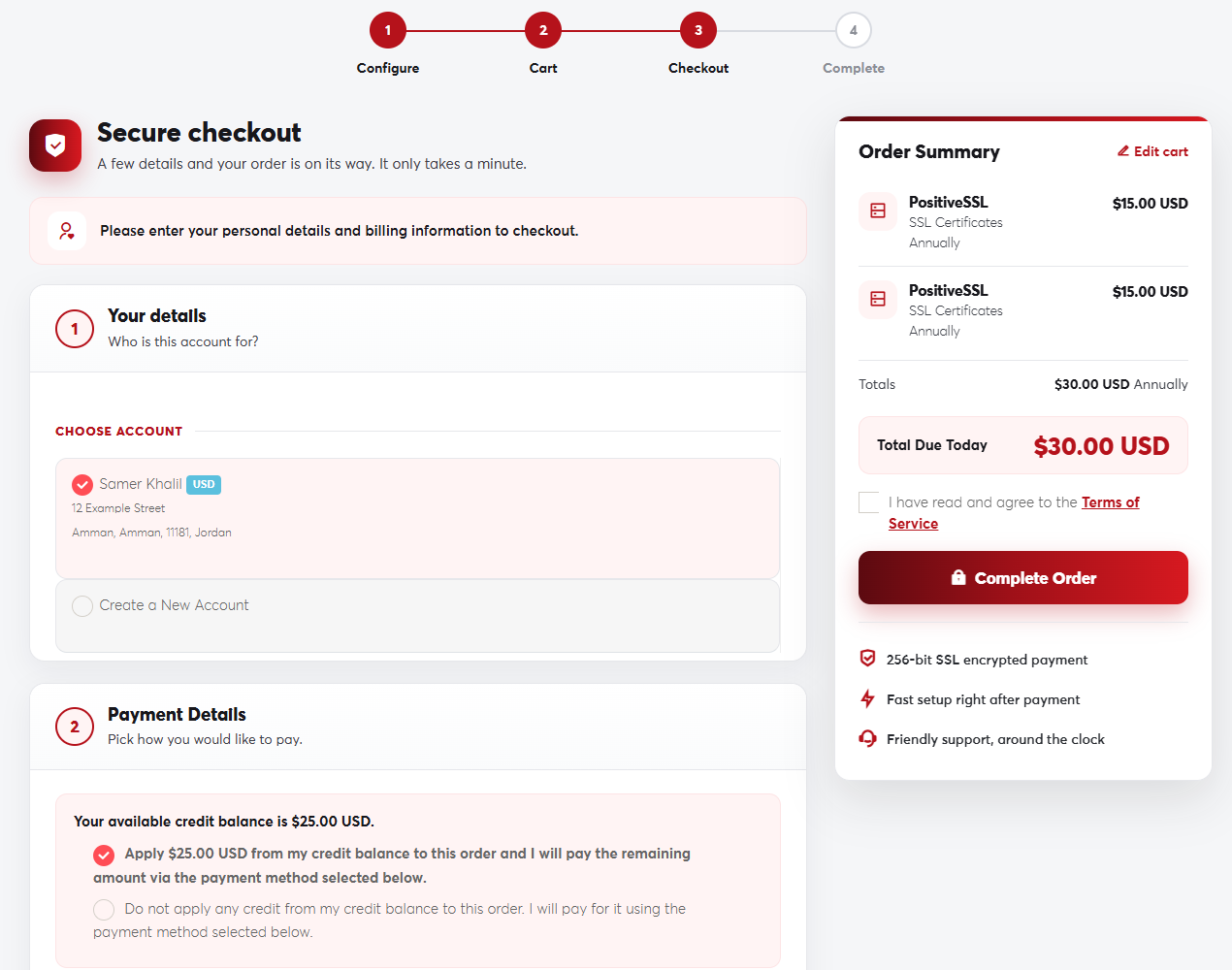 The checkout page
After you order
- An invoice is created for the order and you're taken straight to the payment page.
- Once payment is complete, services are set up automatically in most cases and you get a welcome email for each one.
- You can follow all your orders and services from your client area.
If the payment doesn't go through for any reason, the order stays pending and the invoice unpaid. You can pay it later from Billing → My Invoices. See Paying an invoice.
