

The client area dashboard is the first page you see after logging in. From it you can reach all your services, domains, invoices and tickets.
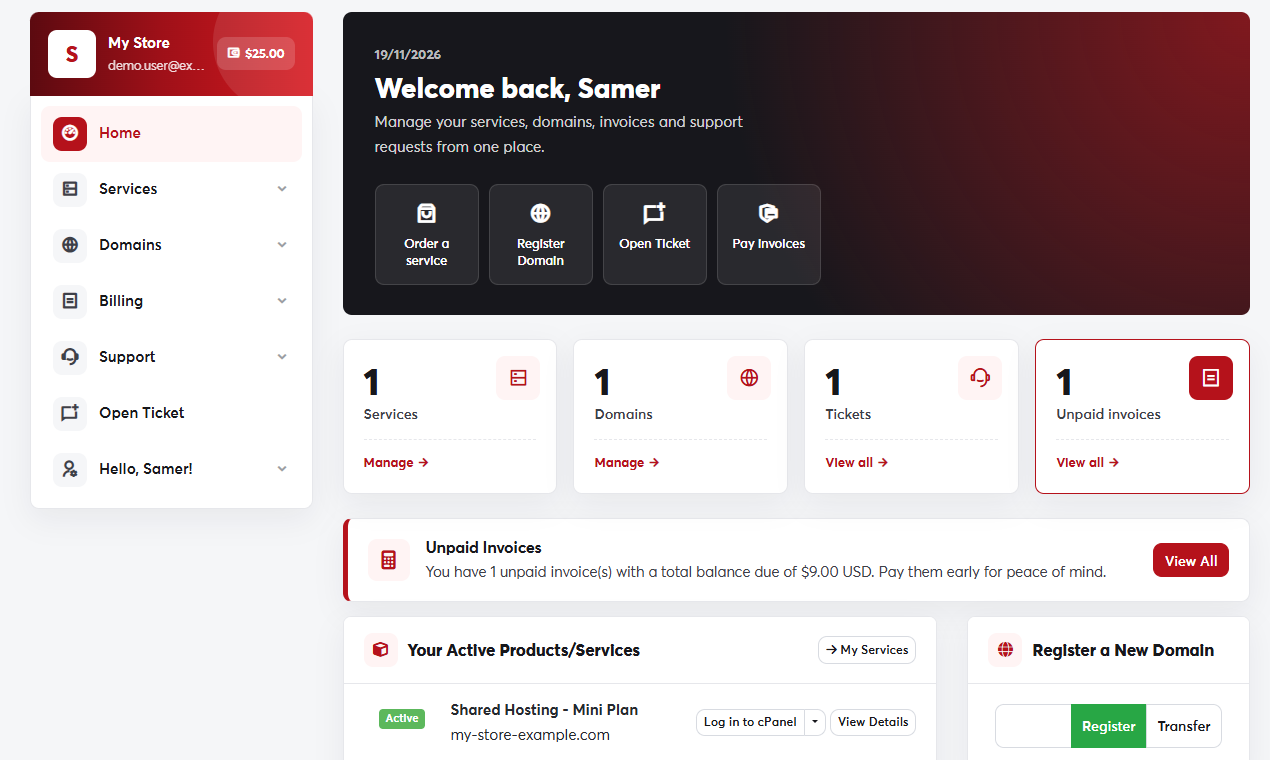 The client area dashboard
What the dashboard shows
- Your account card at the top of the side menu, with your name, email and current credit balance.
- Quick buttons: order a service, register a domain, open a ticket and pay invoices.
- Counters for your services, domains, tickets and unpaid invoices, each with a link to manage them.
- Unpaid invoices and services coming up for renewal, so you can act before anything stops.
The side menu
- Services: your services, ordering new services and addons.
- Domains: My Domains, renewals, registration and transfers.
- Billing: My Invoices, Payment Methods and Add Funds.
- Support: Tickets, announcements, the knowledgebase and Network Status.
- Your name menu: Account Details, User Management, Change Password and Security Settings.
On a phone, the side menu opens when you tap the menu button at the top of the page.
