

The shopping cart gathers everything you want to order (hosting, domains, SSL certificates and addons) into one order and one invoice.
Order steps
A bar at the top of the order pages shows where you are:
- Configure: choose the plan, domain, billing cycle and any options.
- Cart: review all items and their prices and apply a promo code.
- Checkout: enter your details and choose a payment method.
- Complete: the order is confirmed and an invoice is created.
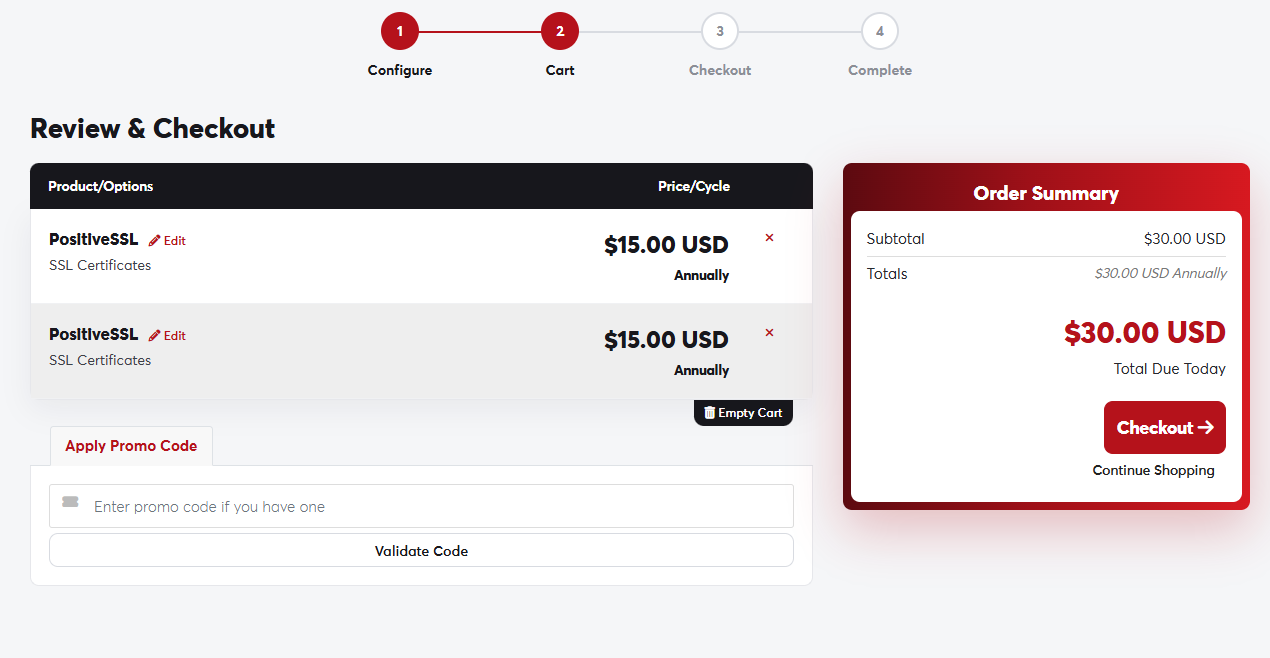 The cart page and order summary
What you can do in the cart
- Edit any item to go back and change its options.
- Remove an item with the × next to it, or Empty Cart to clear everything.
- Apply Promo Code if you have one. See Using a promo code.
- Continue Shopping to add more items to the same order.
The Order Summary on the side shows the subtotal, the total due today and the recurring amounts for each billing cycle.
You can add hosting, a domain and an SSL certificate to a single order, pay once, and have them all set up together.
