

Hosting is the space on a server where your website's files, databases and email are stored. We offer shared hosting, reseller hosting, virtual private servers (VPS) and dedicated servers. All shared hosting plans come with the cPanel control panel.
1. Choose a plan
- From the Products menu at the top of the site, choose a hosting type, such as Shared Hosting.
- Compare plans by storage, number of websites and email accounts, then click Order Now on the one that suits you.
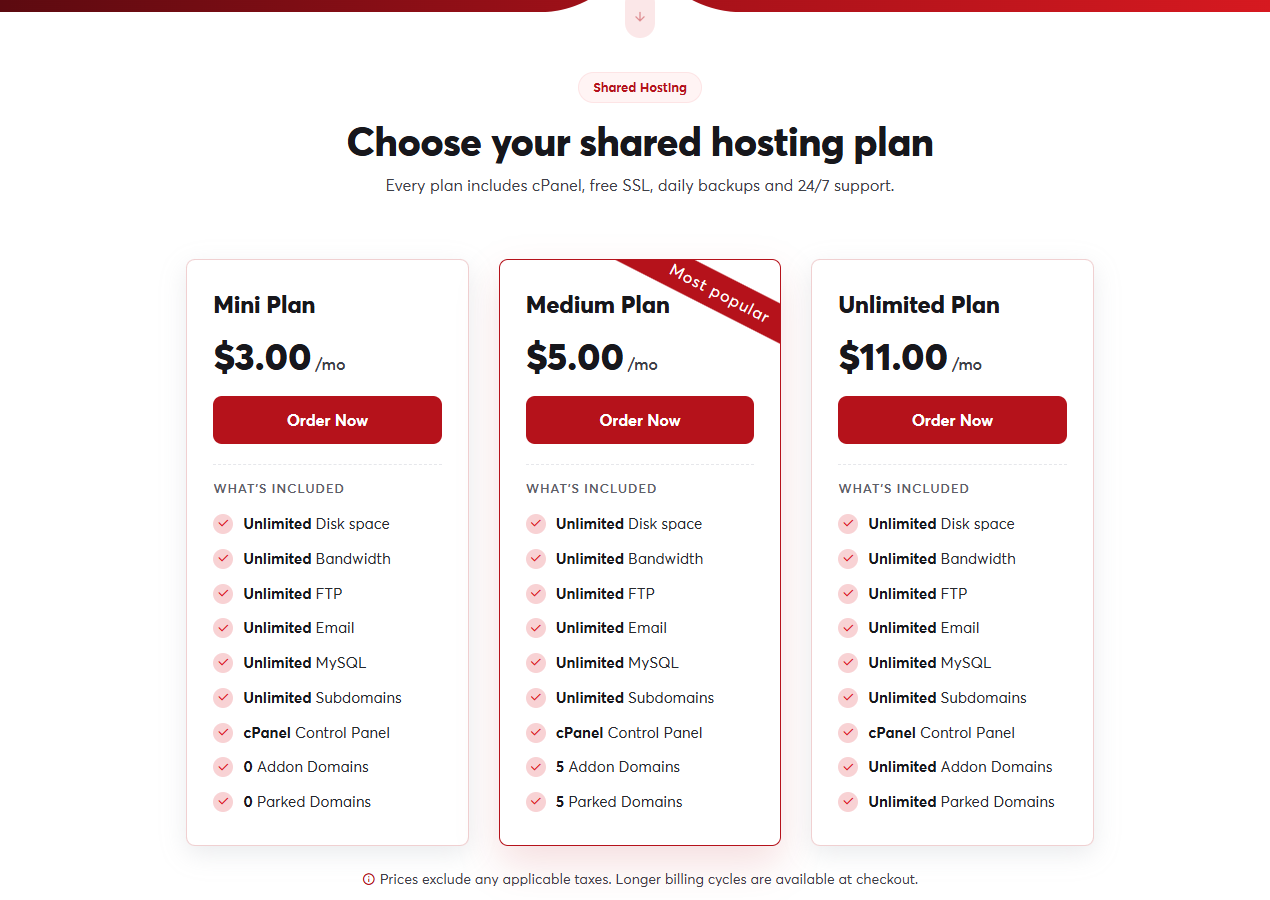 Shared hosting plans
2. Choose a domain
The domain page offers three options:
- Register a new domain: search for a new name and it is added to the same order.
- Transfer your domain from another registrar: move a domain you own to SAJJEL.NET.
- Use a domain you already own: if your domain is registered elsewhere and you want to keep it there, see Using a domain registered elsewhere.
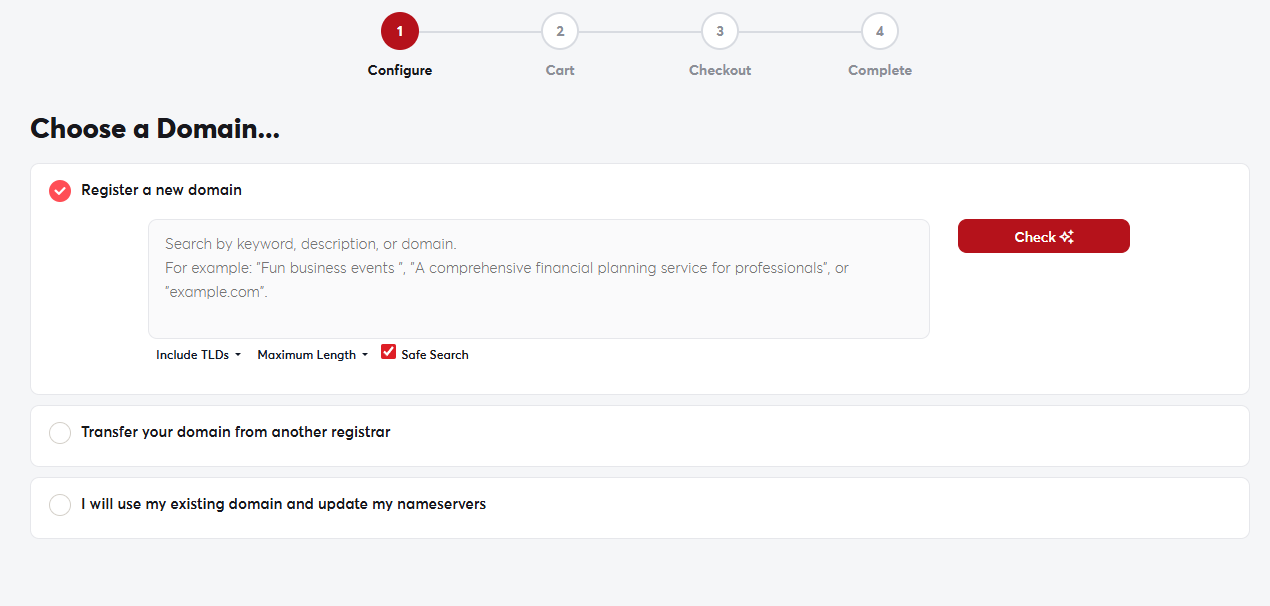 The Choose a Domain page
3. Complete the order
Choose a billing cycle (monthly or annually), then continue to the cart and pay as described in Completing your order. Your account is set up automatically after payment, and you receive a welcome email with your cPanel login details.
Paying annually costs less than paying monthly. You can always upgrade your plan later as your site grows.
