

All your invoices, paid and unpaid, are in one place, and you can print them or download them as PDF.
View your invoices
- In the side menu, choose Billing → My Invoices.
- You'll see each invoice's number, date, due date, total and status.
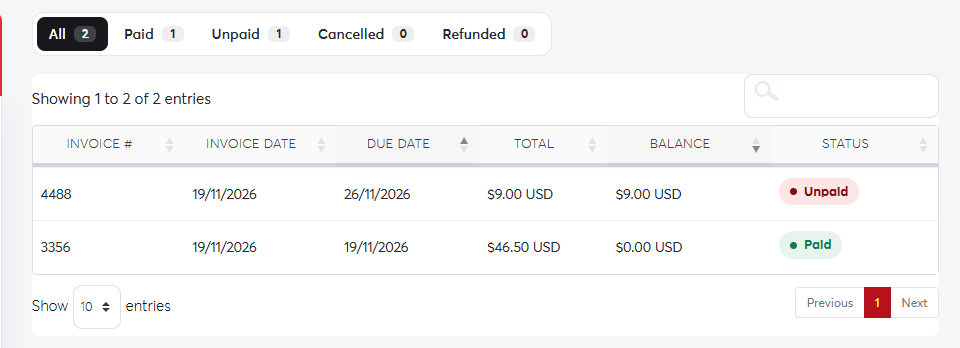 The invoices list
Invoice statuses
- Paid: payment was received.
- Unpaid: waiting for payment before the due date. See Paying an invoice.
- Overdue: past its due date; the related service may be suspended.
- Cancelled or Refunded.
Print or download an invoice
Click an invoice to open it, then click Print to print it or Download to save it as a PDF.
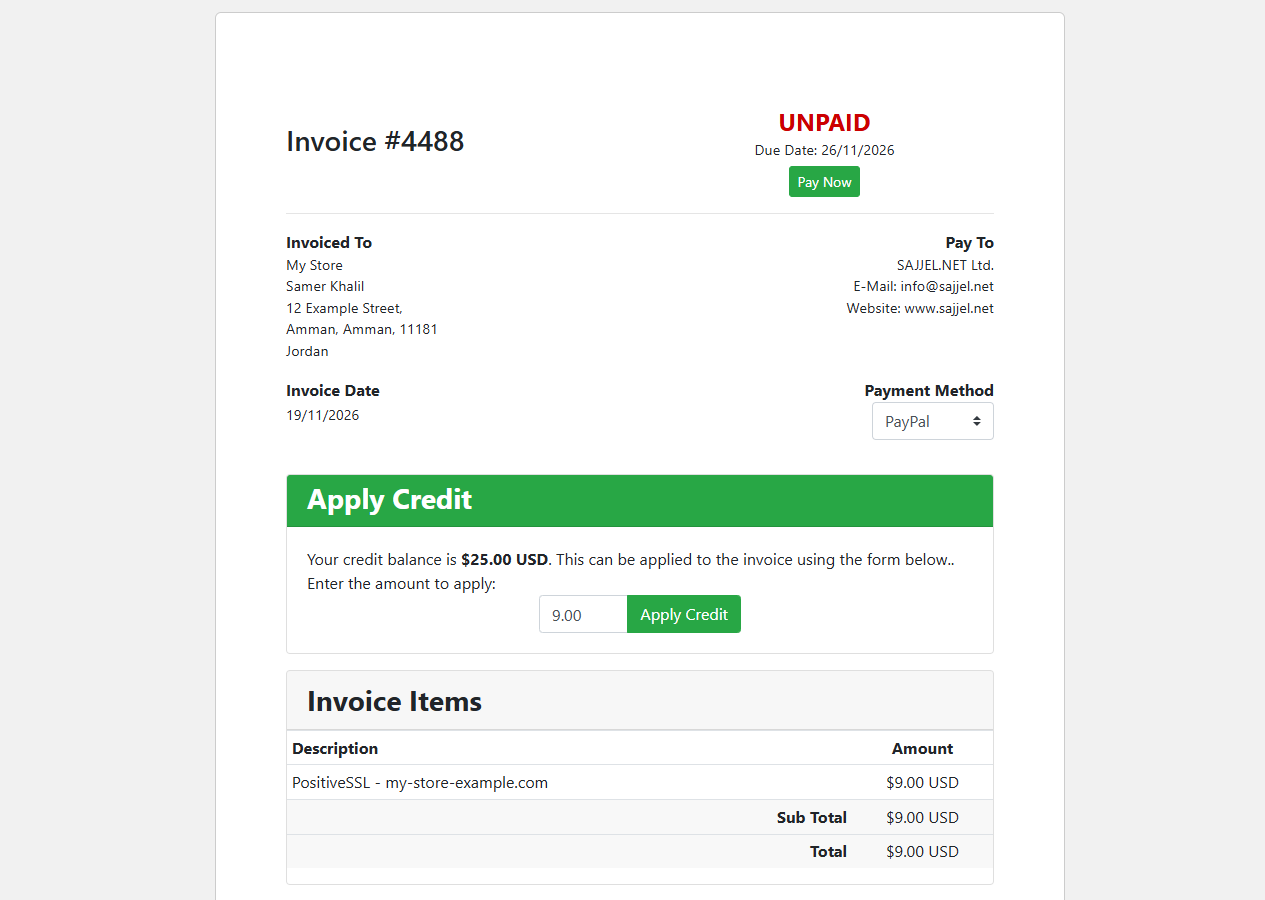 An invoice
To show your company's details (name and address) on invoices, update your account details before the invoice is created.
