

Account credit is money held in your SAJJEL.NET account and used to pay your invoices. You can add it in advance, and it may also be added automatically after a refund or a plan downgrade.
Where to see your balance
Your current balance is shown on your account card at the top of the side menu on every client area page.
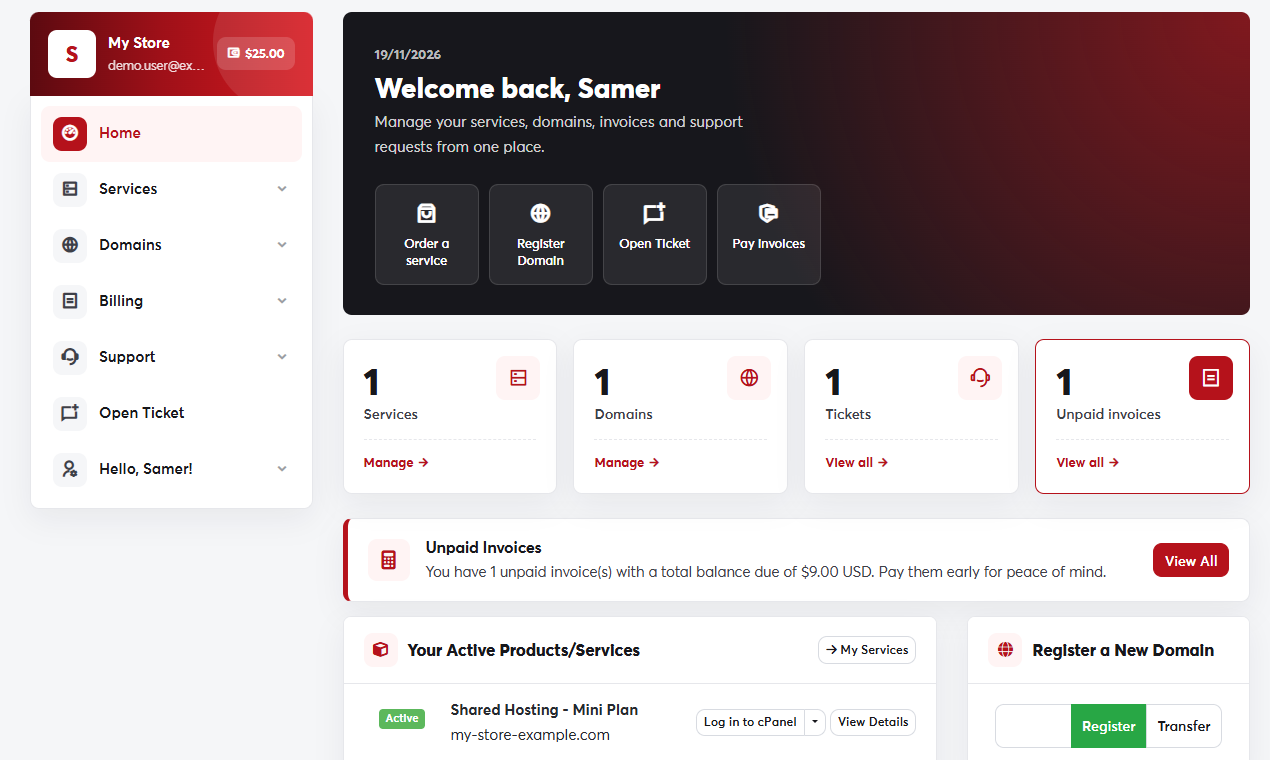 The balance on your account card
How credit is used
- When a new invoice is created, it is paid automatically from your credit if there's enough.
- You can also apply it by hand to any invoice in the Apply Credit section. See Paying an invoice.
- You can follow every addition and deduction under Billing → Payments.
Why keep credit
- It keeps auto-renew working for your domains and services without a saved card.
- It saves you currency conversion fees on every invoice.
Add credit
Top up your balance in one of two ways:
SAJJEL.NET prepaid top-up cards were used in the past and are no longer issued. If you have an old unused card, open a ticket with Sales & Billing.
